How it works
From idea to packed bag
with a clear flow.
CREATE → PREPARE → PACK → TRAVEL → LEARN ↺
01
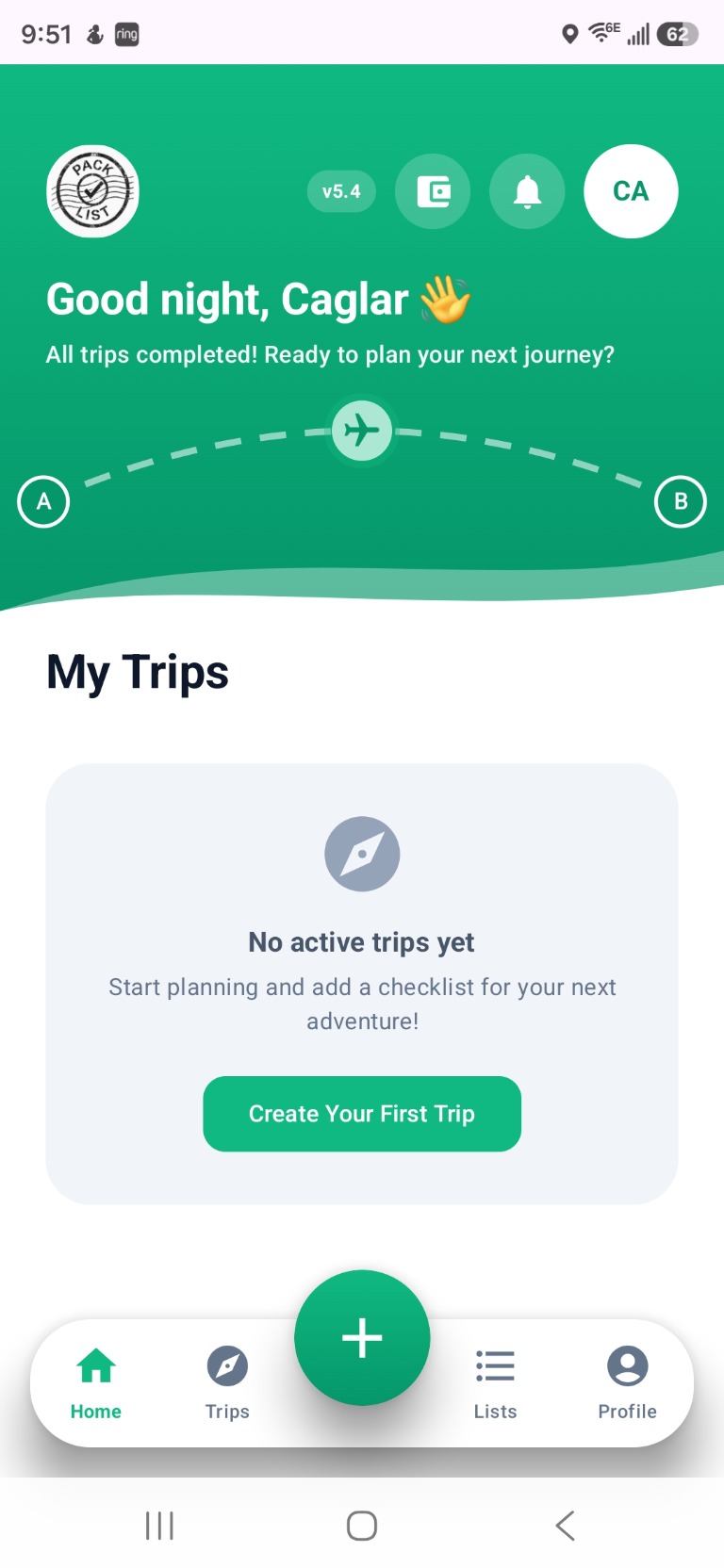
Start from Home
Tap the green + button, then choose how you want to create.
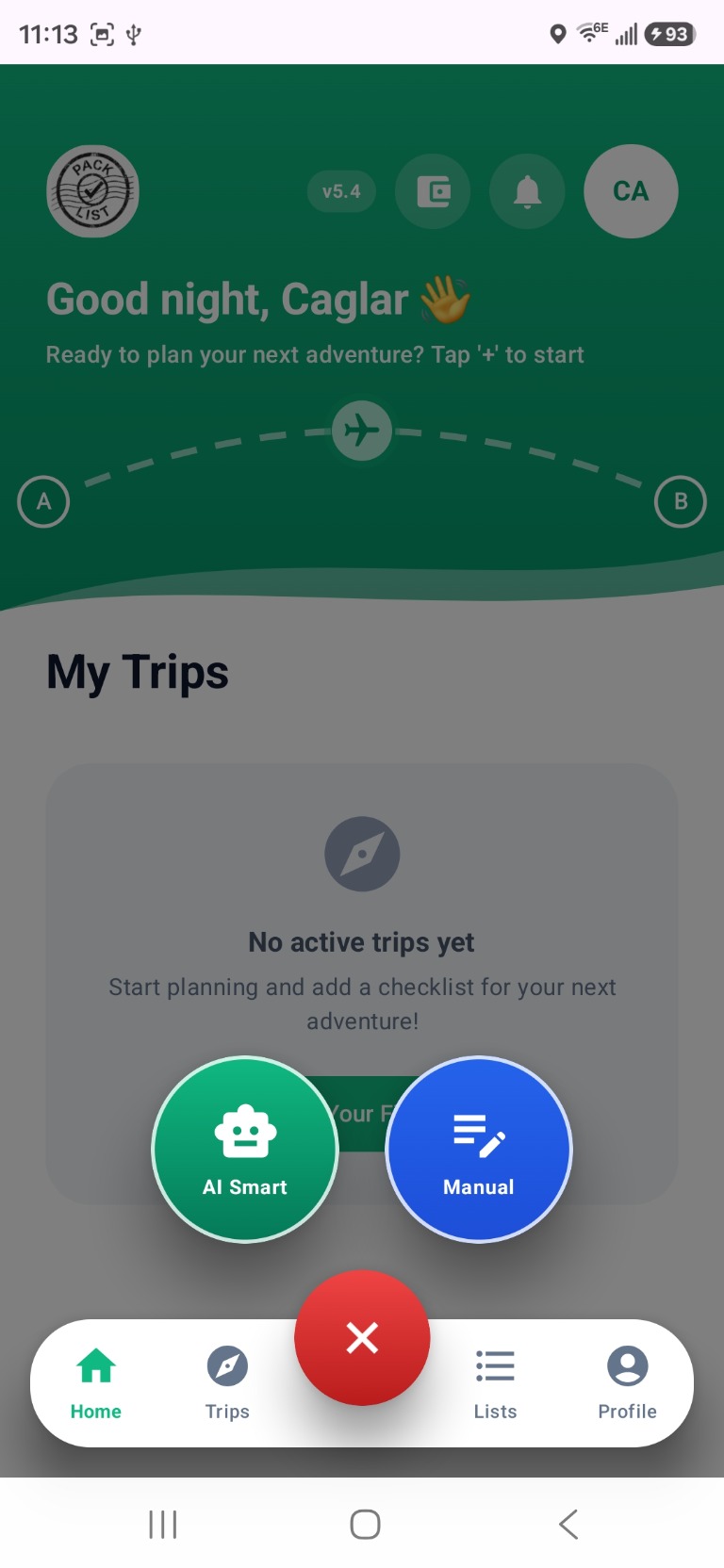
From the Home screen, tap + to open Create Trip. You can continue with two paths: AI Pack Helper or Manual creation.
01-A
AI Pack Helper path
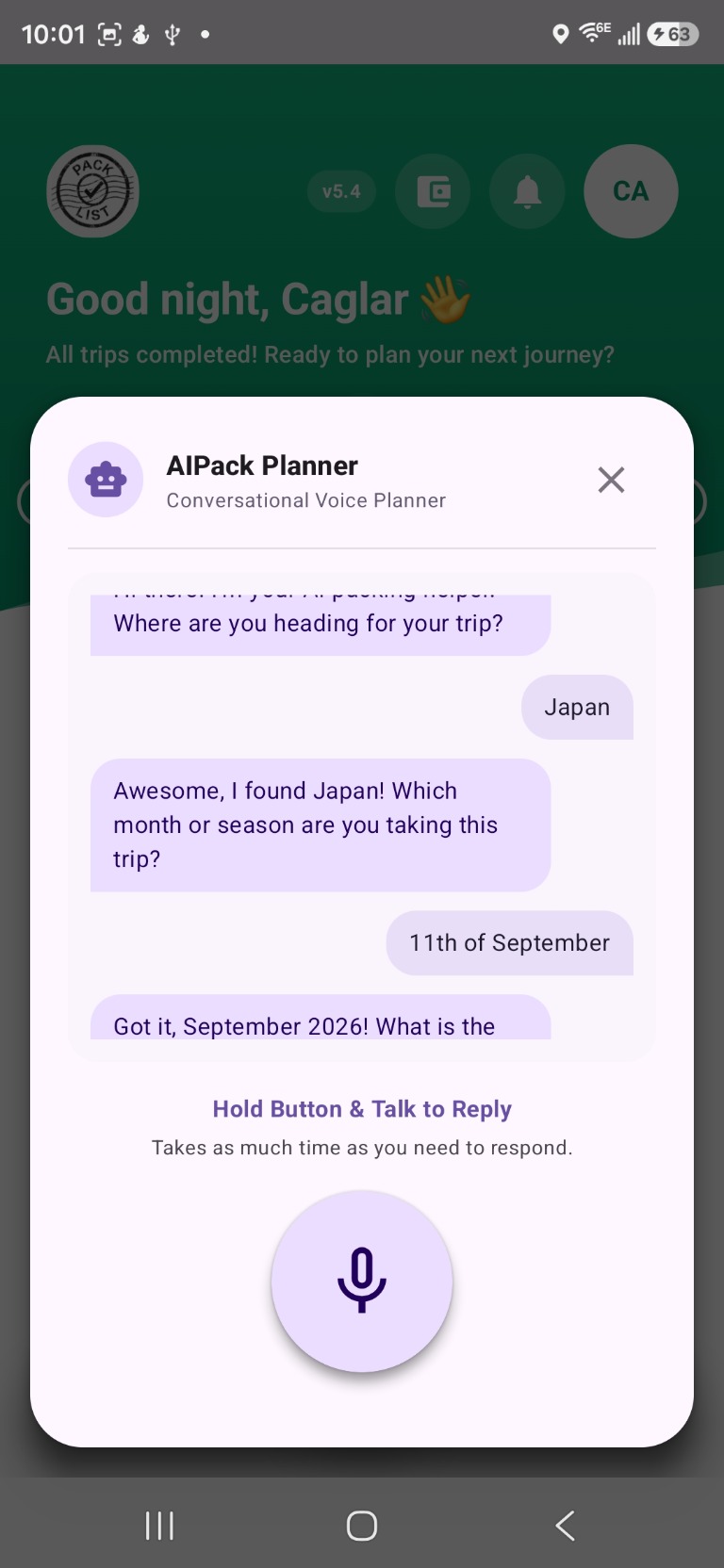
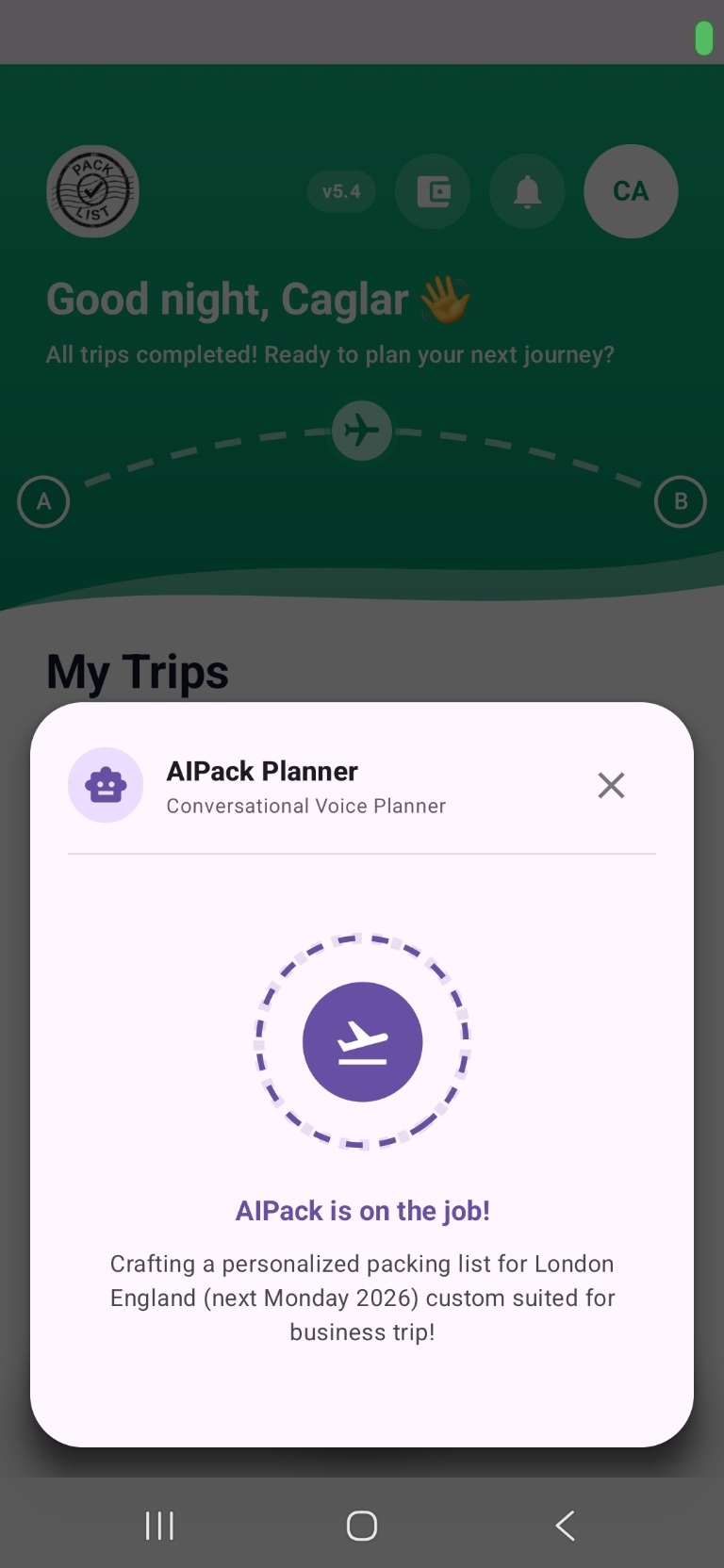
Choose AI Smart and talk to AIPack.
AIPack opens as a conversational planner. Describe your trip in your own words and it builds your first list with your profile, destination, duration, and timing in mind.
01-B
Manual creation path
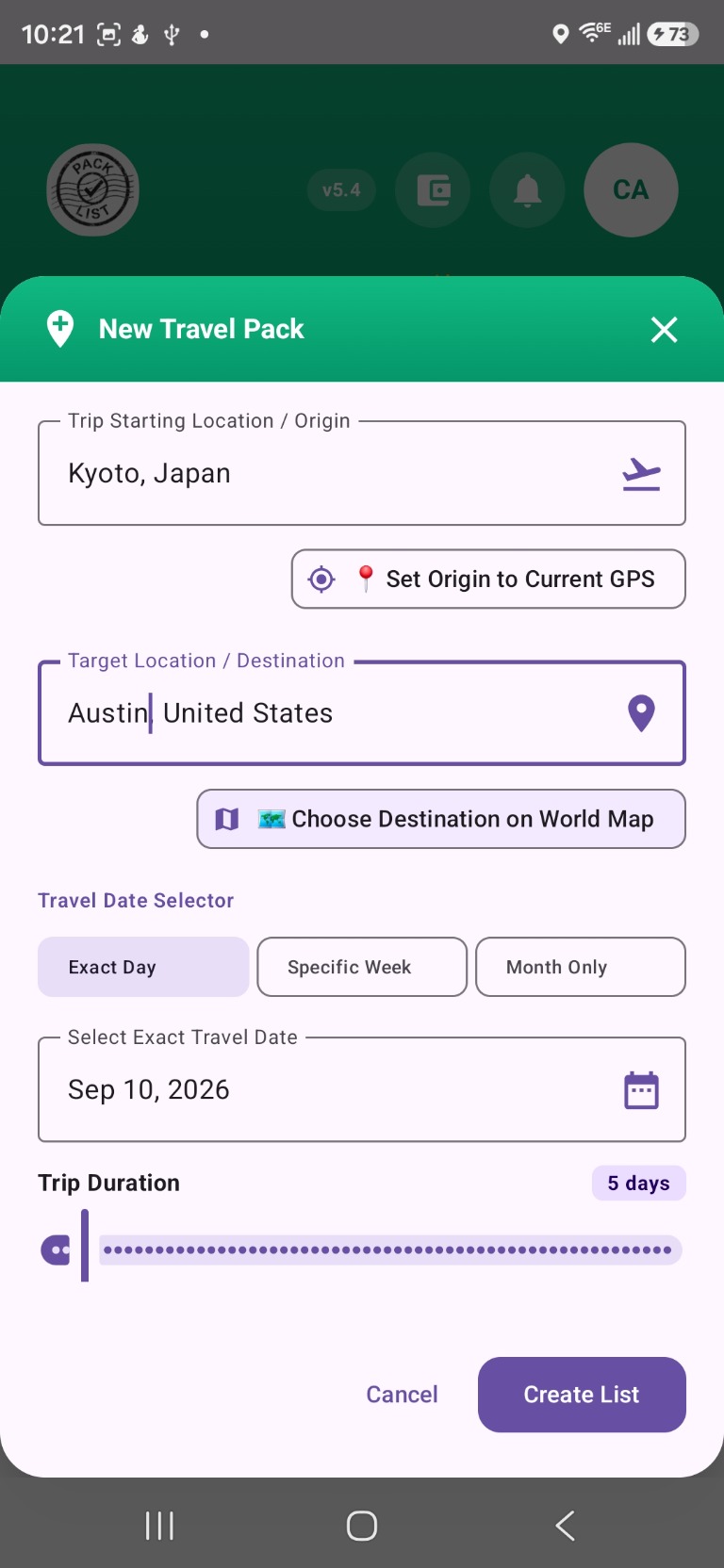
Choose Manual and fill your trip details directly.
Set title, origin, destination, travel dates, and other basics yourself. This is perfect when you want full manual control before you start editing items.
02
Prepare your list (Edit Mode)
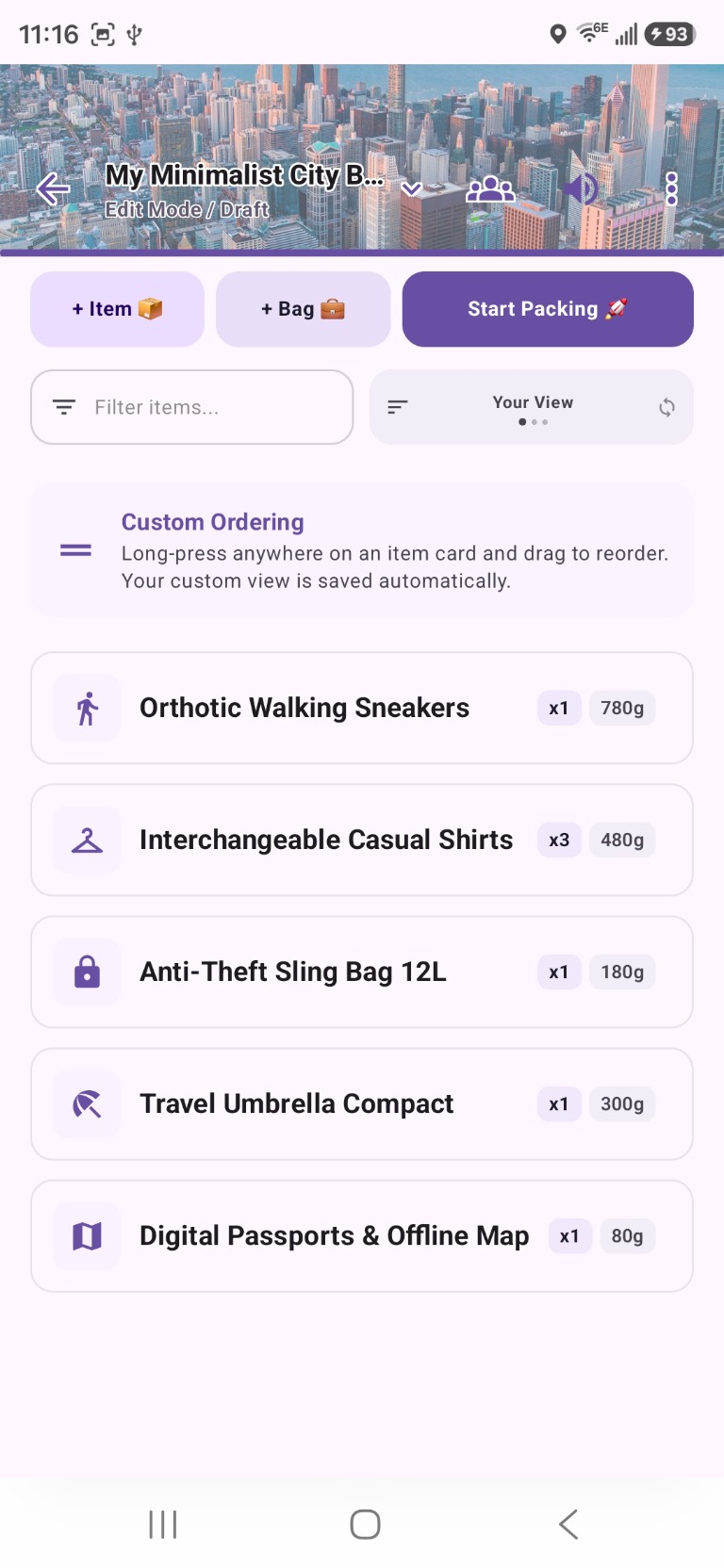
Review and customise your checklist before packing day.
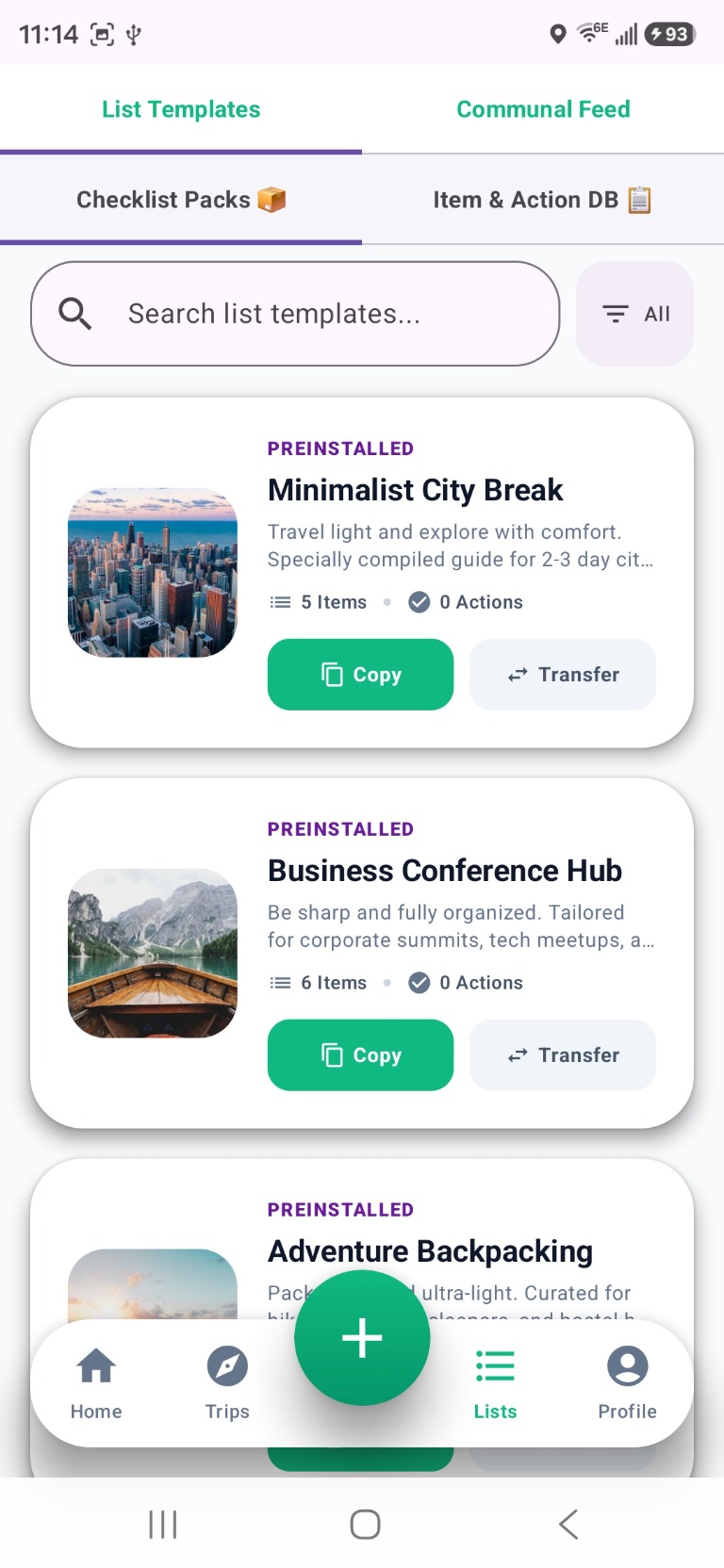
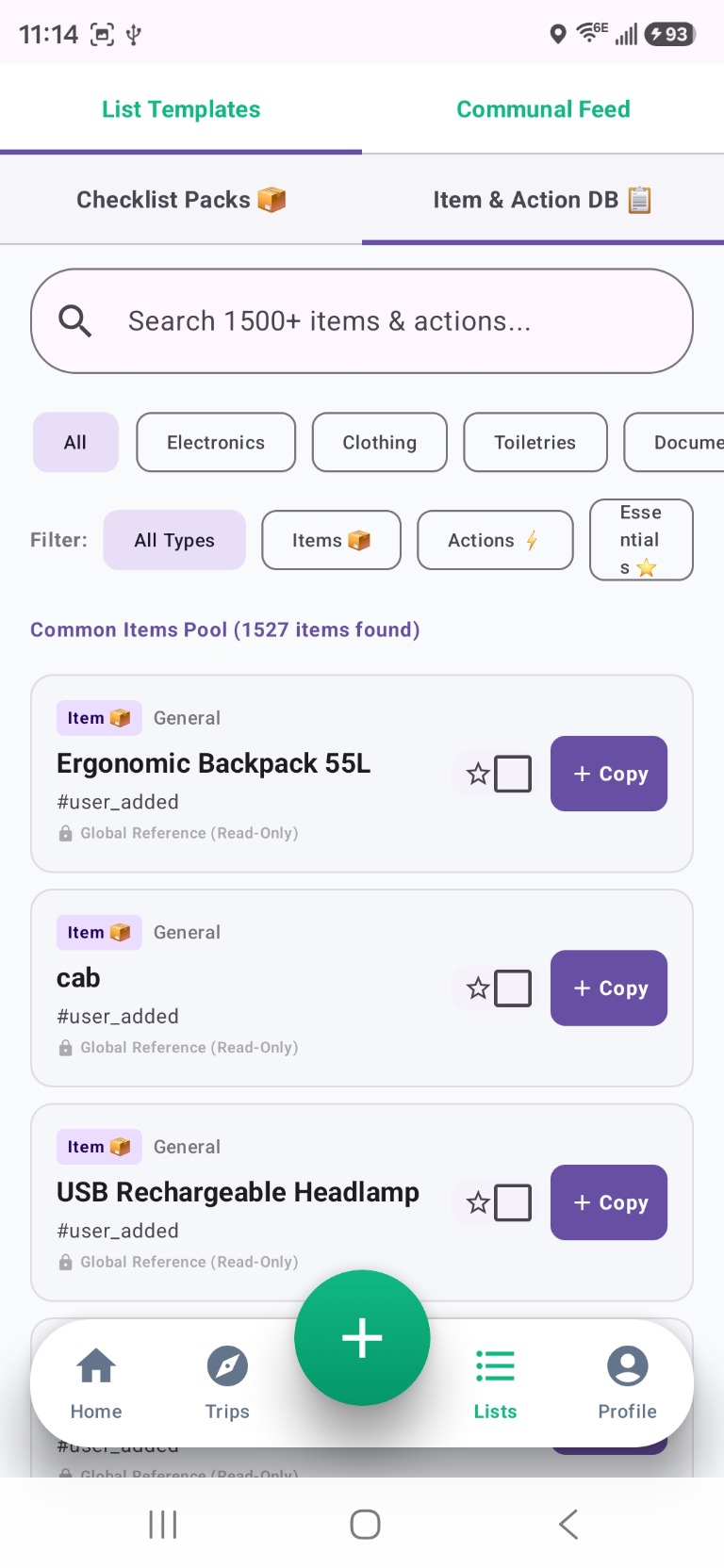
In Edit Mode you can add items, create bags, assign quantities and weights, attach notes or photos, and organise pre-trip actions. Browse 1,500+ items in the Item & Action database or use a preinstalled template like Minimalist City Break or Business Conference Hub.
03
Pack it — Active Packing Mode
Switch to Active Packing when it is time to pack.
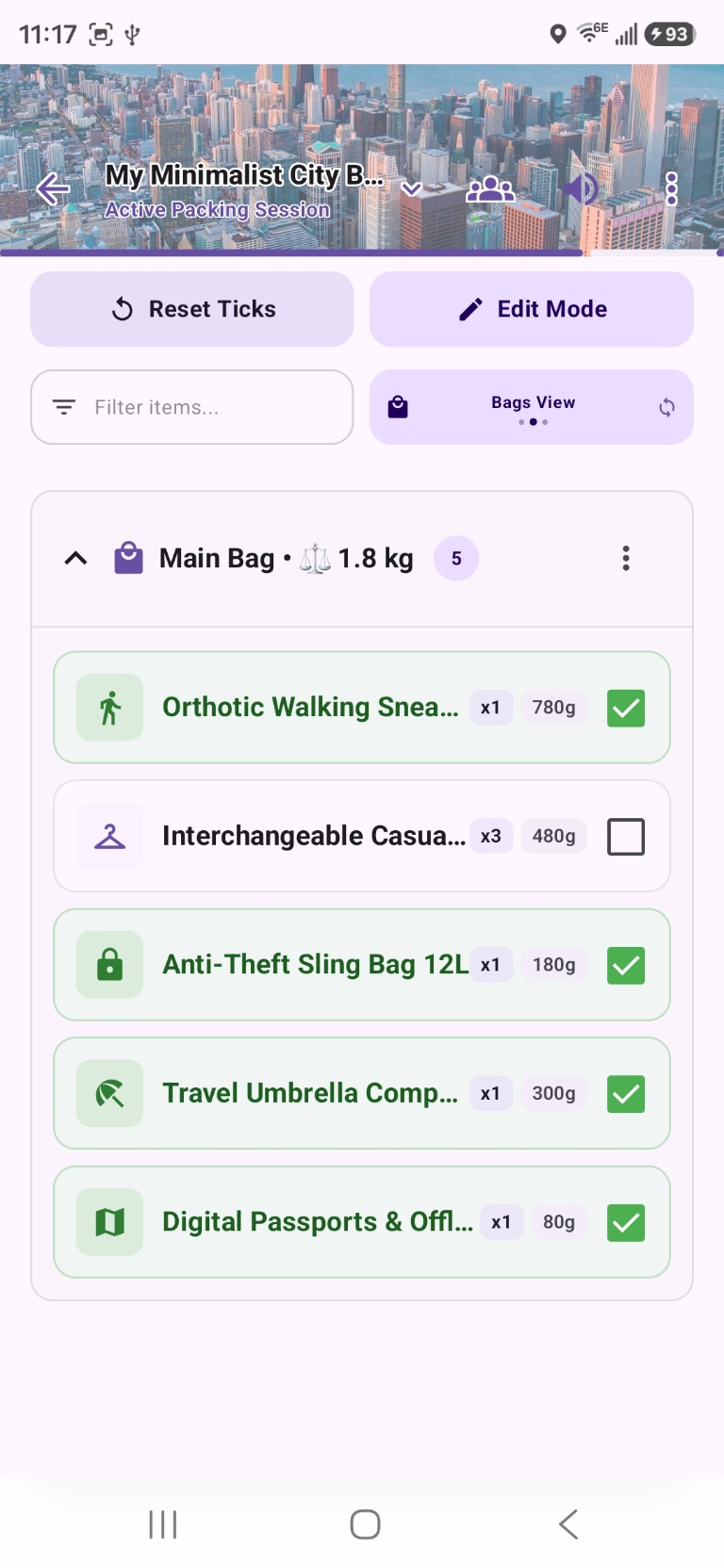
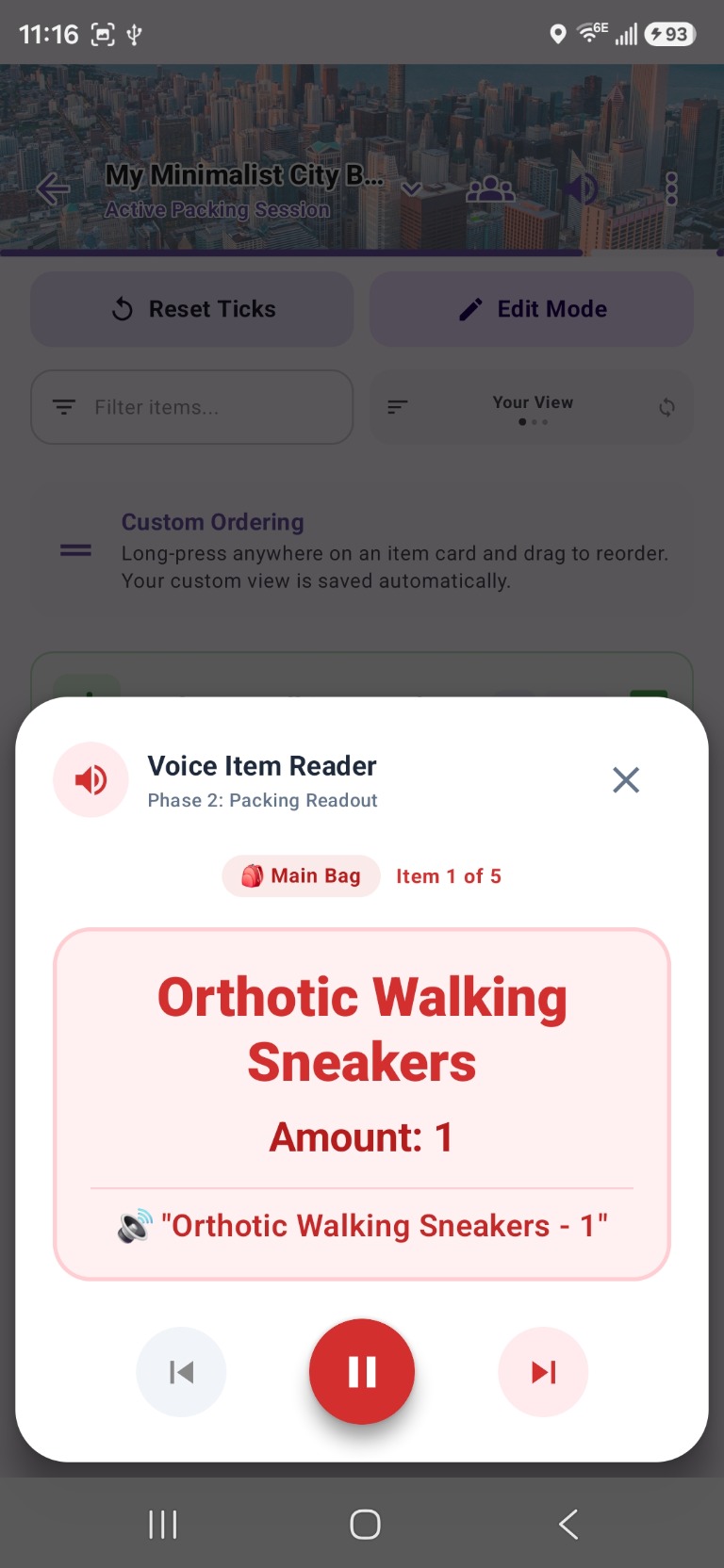
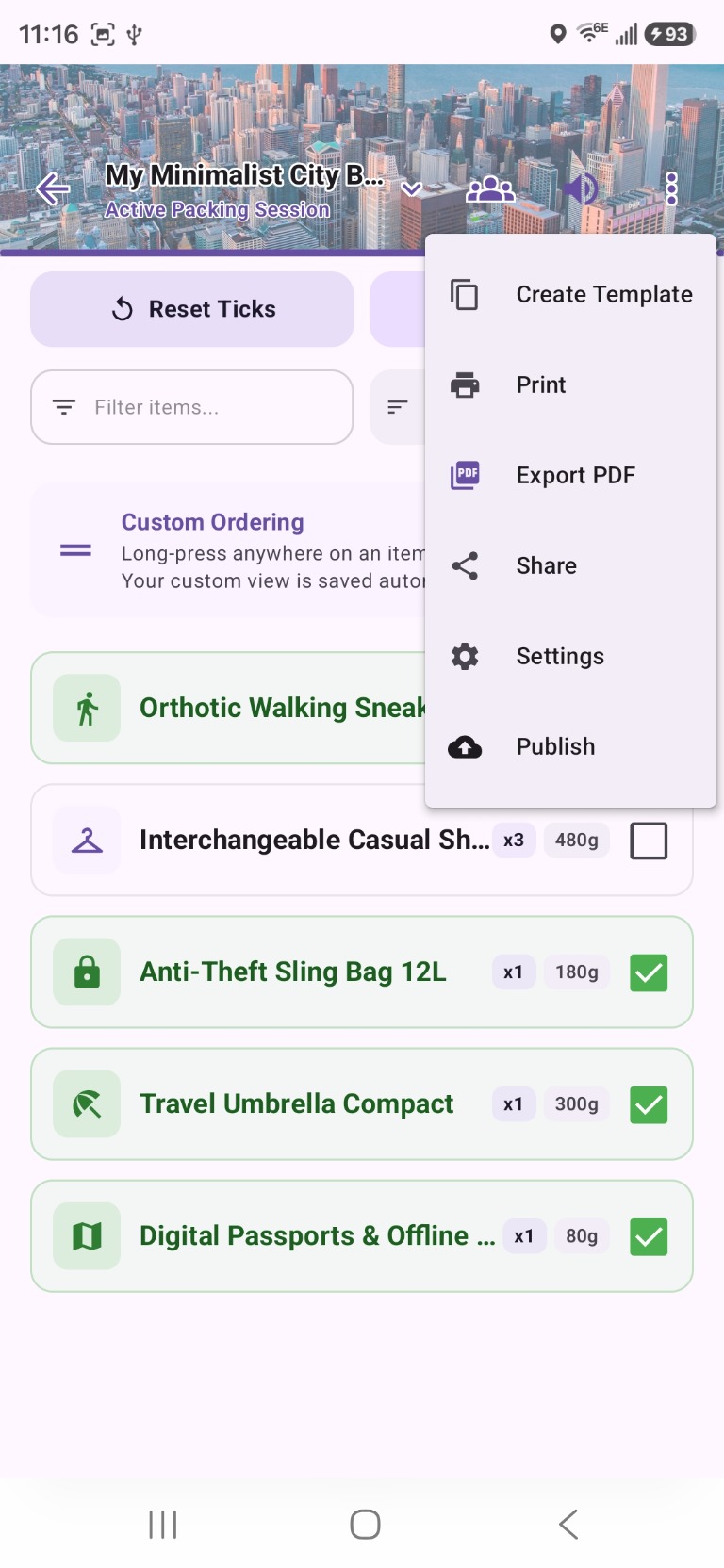
The checklist transforms into a focused packing experience. Tap items to check them off, swipe to undo in 3 seconds, and switch to Bags View to see items grouped by container with live weight totals. Use Voice Item Reader to listen to items hands-free while both hands are in your bag.
04
Track trip phases
Packolist guides you through every phase of your journey.
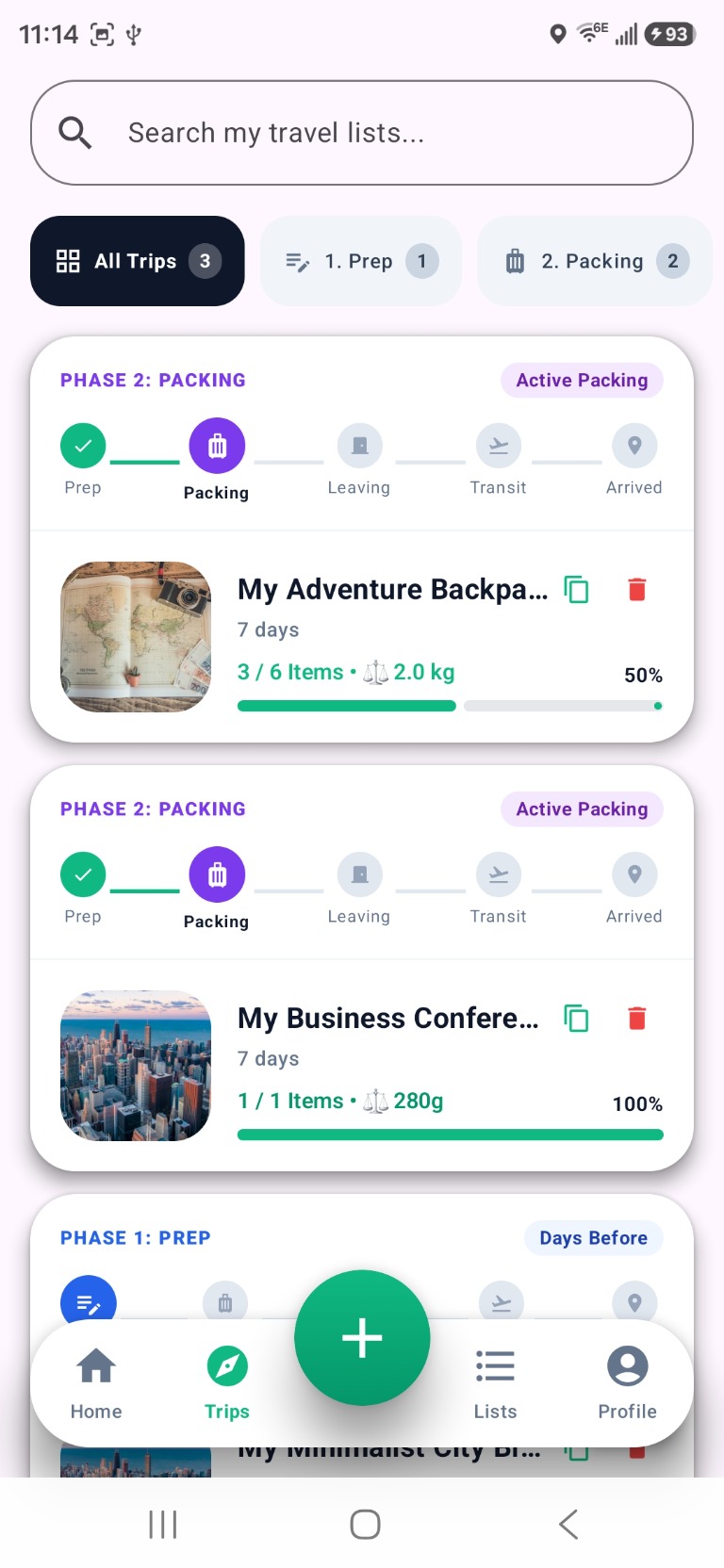
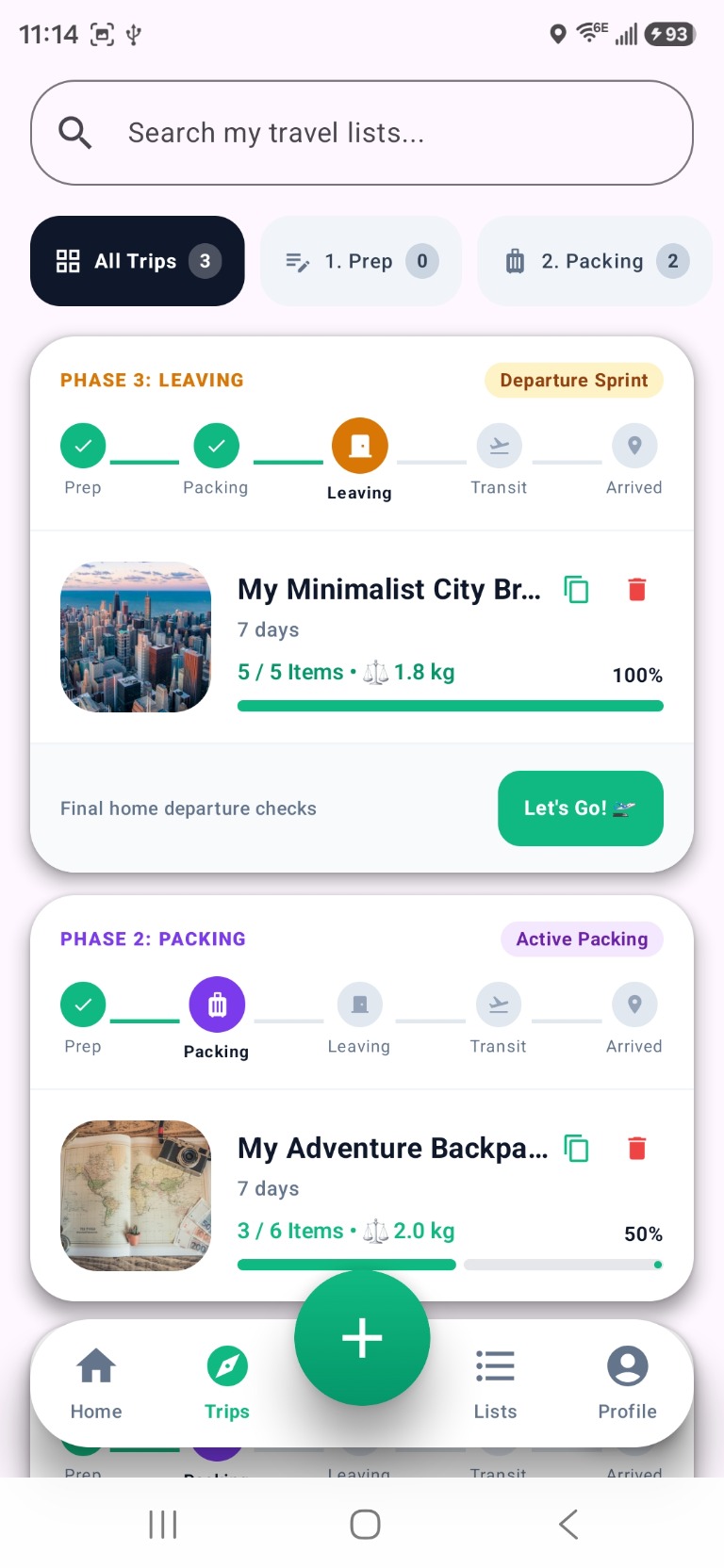
Every trip moves through five phases: Prep → Packing → Leaving → Transit → Arrived. The Trips tab shows all your active trips with phase indicators and packing progress. When you reach Leaving phase, Packolist prompts final departure checks before you walk out the door.
05
Collaborate with travel partners
Pack together in real time.
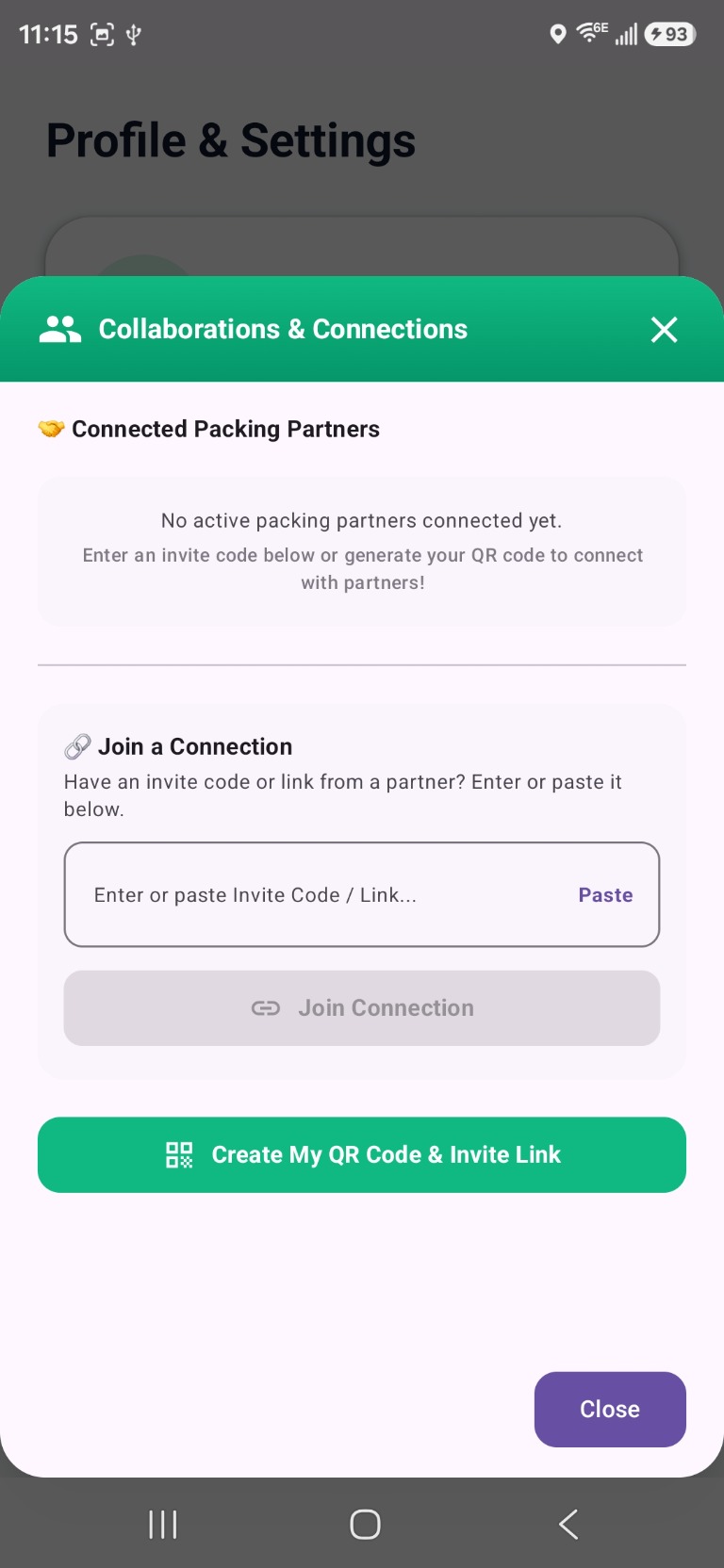
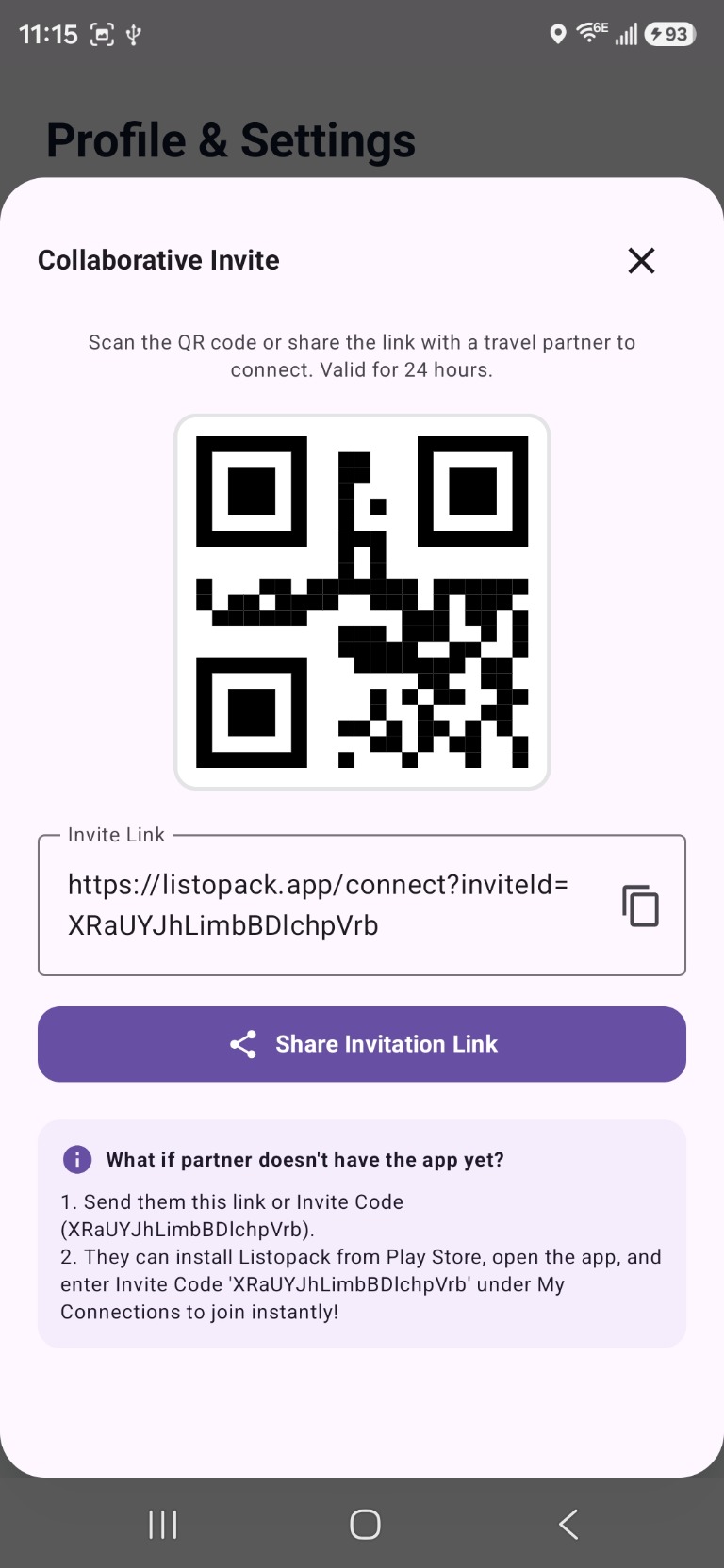
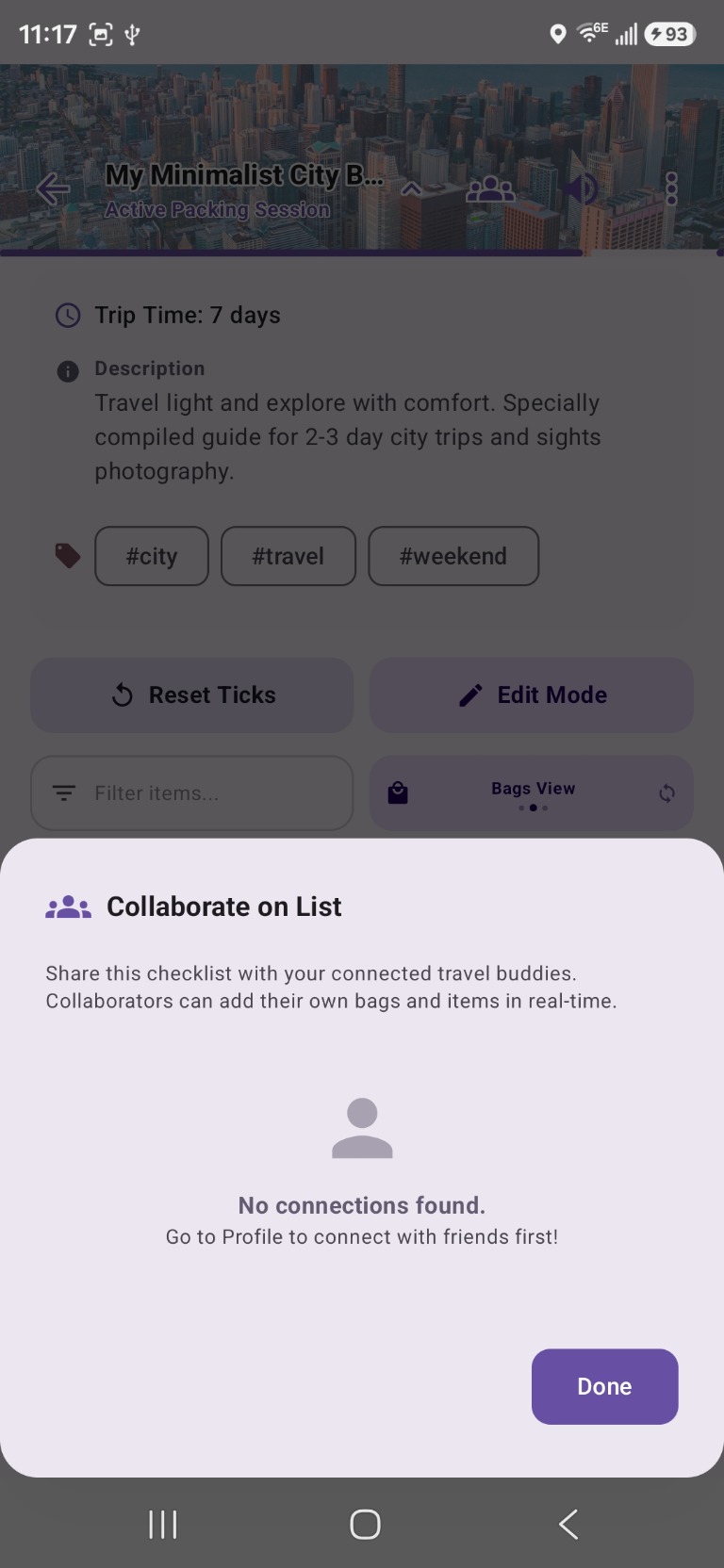
Connect with travel partners via QR code or invite link from your Profile. Once connected, open any checklist and tap Collaborate to share it. Your partner can add their own bags and items in real time — perfect for family trips, group travel, or shared packing responsibilities.
06
Share, export & publish
Print, export PDF, or share your list with anyone.
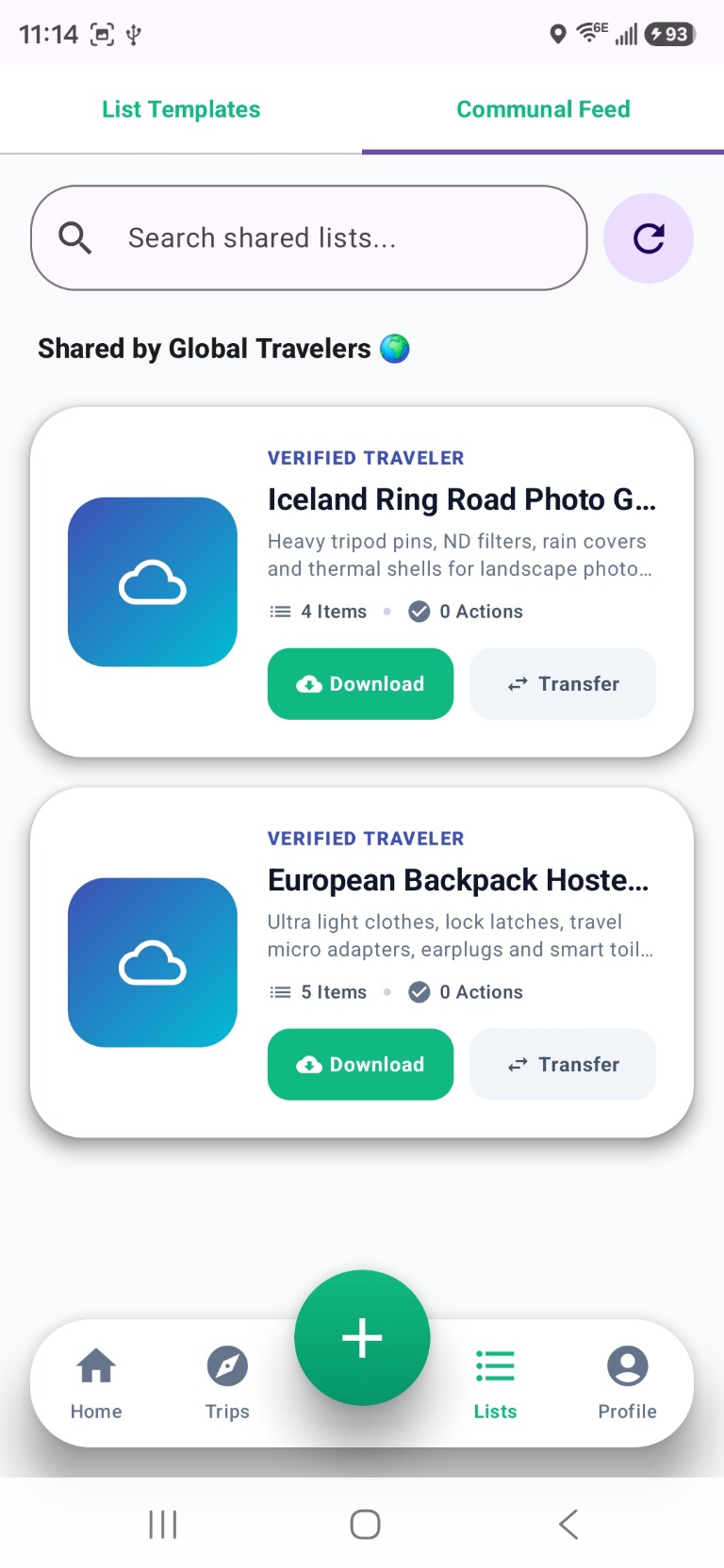
From the three-dot menu inside any checklist you can print, export a PDF, share a link, create a reusable template, or publish your list to the Communal Feed for global travelers to discover and download.
07
Reflect and train your AI
After every trip Packolist asks what worked and what did not.
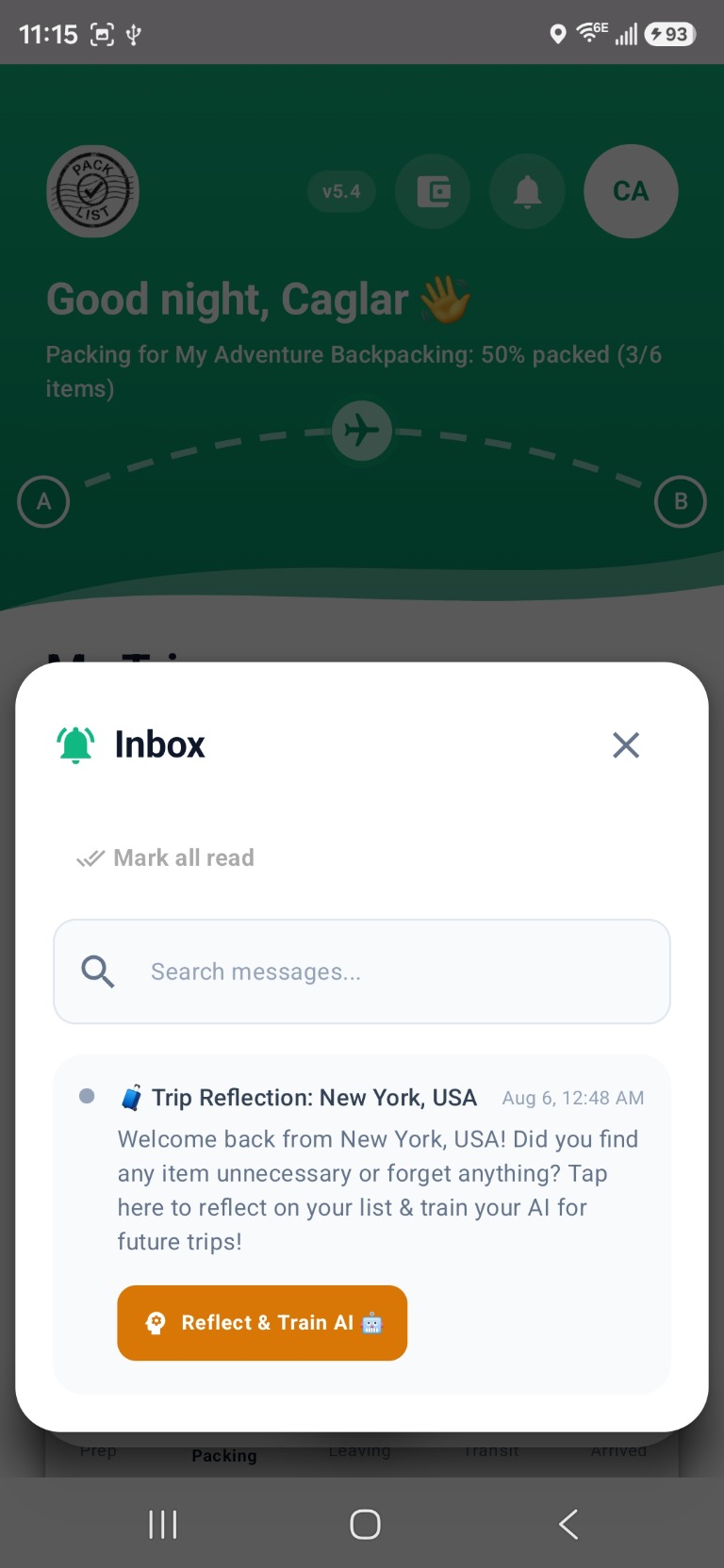
Your Inbox receives a Trip Reflection notification when you return. Tap Reflect & Train AI to mark items you packed but never used, things you forgot, and items you always need. This data trains Packolist to make smarter suggestions for your next trip — the more you travel, the better it gets.